Does QorusDocs work inside Microsoft 365?
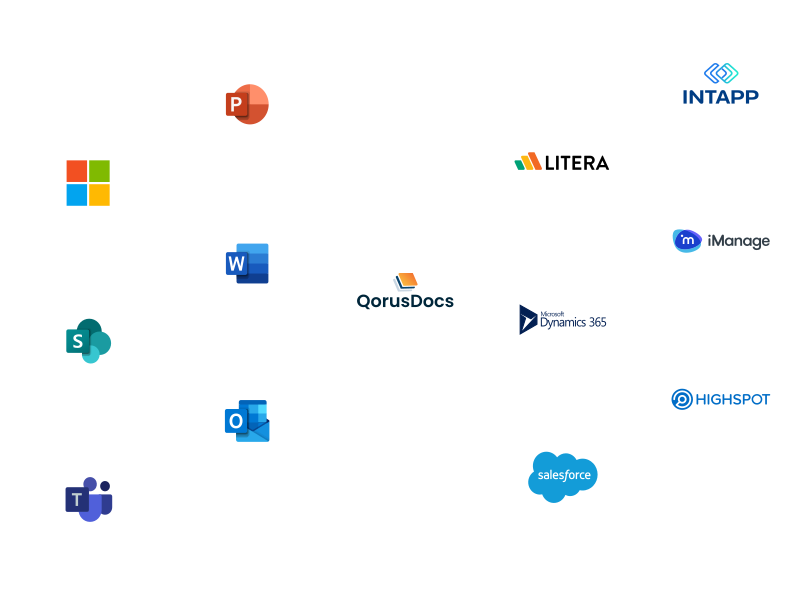
Yes, and this is more than a standard integration. QorusDocs is built to run natively inside Word, PowerPoint, Outlook, Teams, and SharePoint, which means proposals and RFP responses are drafted, edited, reviewed, and finalized inside the tools your team already uses every day. There is no separate platform to log into and no exporting documents for reformatting before they reach the client. The final output is a native Word or PowerPoint file, client-ready without additional work.
Does QorusDocs integrate with Salesforce and Microsoft Dynamics?
Yes. QorusDocs connects to both Salesforce and Microsoft Dynamics, so opportunity data flows into proposals automatically without reps manually copying information between systems. Teams can create proposals directly from a CRM record, insert client-specific details like pricing tables and product lists automatically, and track prospect engagement after the proposal is sent to drive more informed follow-up. Proposal activity feeds back into the CRM so sales leaders have visibility into pursuit status without chasing updates.
Does QorusDocs connect to SharePoint and OneDrive?
Yes. QorusDocs connects automatically to content stored in SharePoint libraries and OneDrive for Business folders. This means your approved proposal content, case studies, bios, and templates are accessible directly within QorusDocs without needing to move or duplicate files. QPilot's Smart Search can surface and preview content from SharePoint and OneDrive instantly, so teams find the right material without leaving the proposal workflow.
Does QorusDocs integrate with iManage?
Yes. QorusDocs connects to content stored in iManage, giving teams the ability to search, preview, and insert iManage content directly into proposals and RFP responses. QPilot can also use iManage content within the AI Assistant, so firms that manage matter experience, documents, and knowledge in iManage can put that content to work in the pursuit process without manual extraction or reformatting.
Does QorusDocs integrate with Intapp DealCloud?
Yes. QorusDocs integrates with Intapp DealCloud, allowing BD and proposal teams to initiate pitches and proposals directly from DealCloud. Experience summaries, bios, practice areas, and industry credentials can be inserted into branded QorusDocs templates without leaving the DealCloud environment. For professional services and legal firms that manage their pipeline and client relationships in DealCloud, this means the pursuit document workflow stays connected to the BD system rather than operating as a separate process.
Does QorusDocs integrate with Litera Foundation?
Yes. QorusDocs connects to Litera Foundation, allowing law firm BD and marketing teams to work on pitches within QorusDocs while drawing on the firm's knowledge and content stored in Foundation. Teams can collaborate via Microsoft Teams or SharePoint alongside this connection, and QorusDocs engagement analytics provide visibility into how pitch content is being used and which materials are most effective across pursuits.
Does QorusDocs integrate with Highspot or other sales enablement tools?
Yes. QorusDocs can connect to Highspot and other sales enablement tools, allowing teams to initiate proposals directly from their existing sales enablement environment using QorusDocs templates. Brand standards and approved content are locked in automatically, and engagement analytics track which content is most effective so teams can continuously refine what they use in future proposals.
Does QorusDocs require IT involvement to set up integrations?
The core Microsoft 365 integrations, covering Word, PowerPoint, Outlook, Teams, SharePoint, and OneDrive, are designed to work within your existing Microsoft environment without heavy IT configuration. CRM connections to Salesforce and Dynamics use standard connector frameworks. For specialized integrations like iManage, DealCloud, and Litera Foundation, implementation is handled collaboratively during onboarding. QorusDocs holds a 95% vendor support satisfaction score, and the implementation process is designed to be led by the teams who will use the platform rather than dependent on IT resource.
Will adding QorusDocs mean learning a new system?
For most users, no. Because QorusDocs runs inside Word, PowerPoint, Teams, and SharePoint, the day-to-day experience for proposal writers, BD teams, and SMEs is working in the Microsoft 365 tools they already know. QorusDocs surfaces content, drafts sections, and applies formatting from within those familiar interfaces. The platform layer sits behind the scenes, handling content governance, collaboration, and workflow management without requiring users to operate in a separate application for most tasks.
Is QorusDocs compatible with AI agents and emerging enterprise AI platforms?
QorusDocs is built to connect with the AI tools enterprise teams are adopting. Beyond the current integration stack, QorusDocs is actively developing connectivity with AI agent platforms, including support for Model Context Protocol, which allows AI assistants like Claude and others to work directly with QorusDocs data and workflows. This means teams will be able to initiate and interact with proposal workflows from within the AI tools they already use, without switching context. For organizations building AI-forward tech stacks, QorusDocs is designed to be part of that ecosystem rather than separate from it.